Changelog
What's New in ProjectSend r1945
Powerful new features to enhance your file sharing experience with custom fields, improved enterprise authentication, and a more polished user interface
Dedicated to Palestine — This release is dedicated to the people of Palestine, who continue to endure unimaginable suffering and loss. We stand in solidarity with those facing genocide, and honor the resilience of the Palestinian people in their struggle for justice, dignity, and freedom.
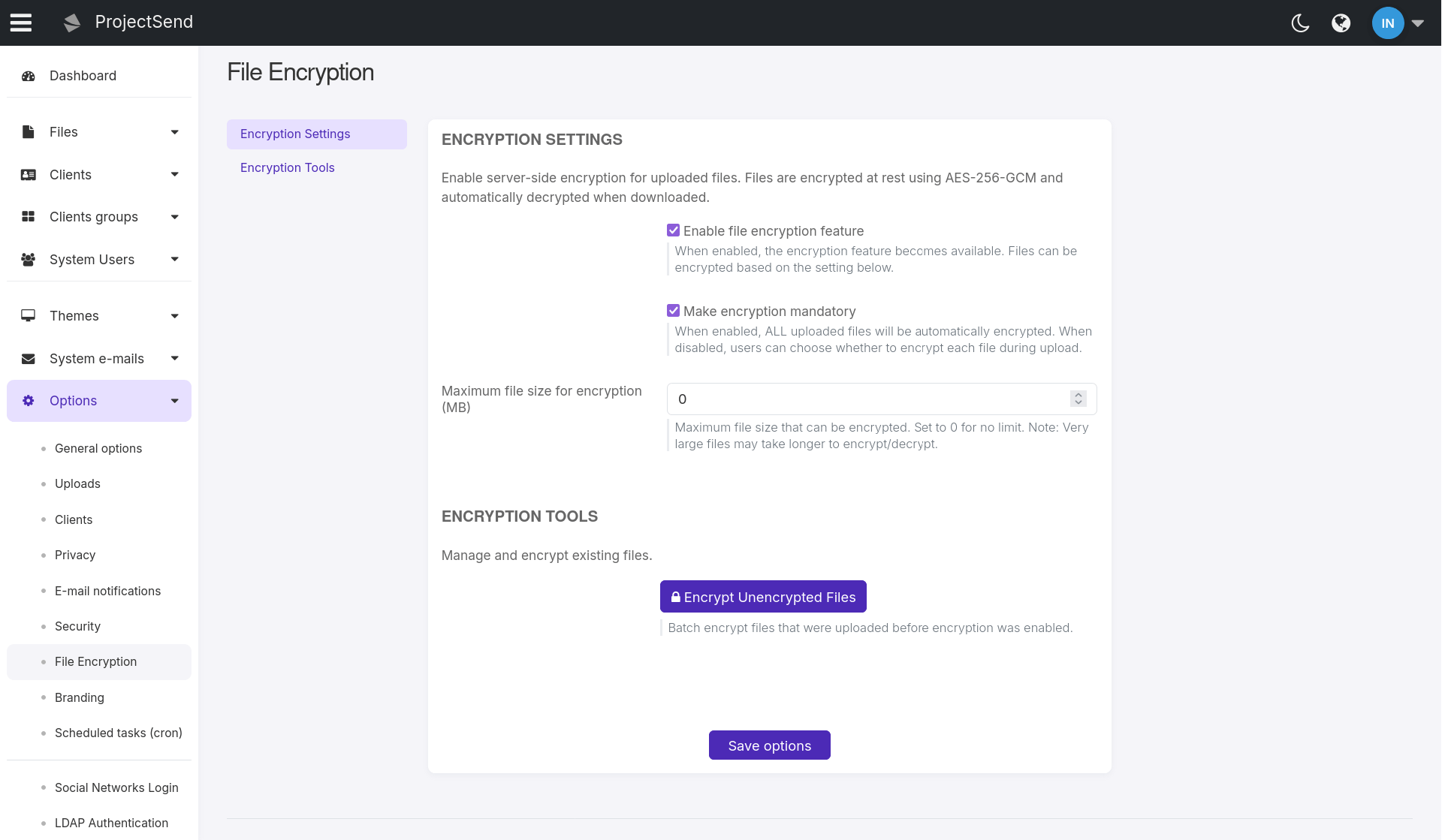
Server-Side File Encryption
Enterprise-grade file encryption with AES-256-GCM authenticated encryption for files at rest. Protect sensitive data with optional or mandatory encryption that works seamlessly with both local and external storage, ensuring your files remain secure whether stored on-premises or in the cloud.
- AES-256-GCM Encryption — Military-grade authenticated encryption with per-file encryption keys
- Flexible Encryption Policies — Configure optional or mandatory encryption with per-upload control
- Transparent Decryption — Automatic streaming decryption on download with no user intervention required
- Cloud Storage Compatible — Works seamlessly with S3, Azure, and other external storage providers
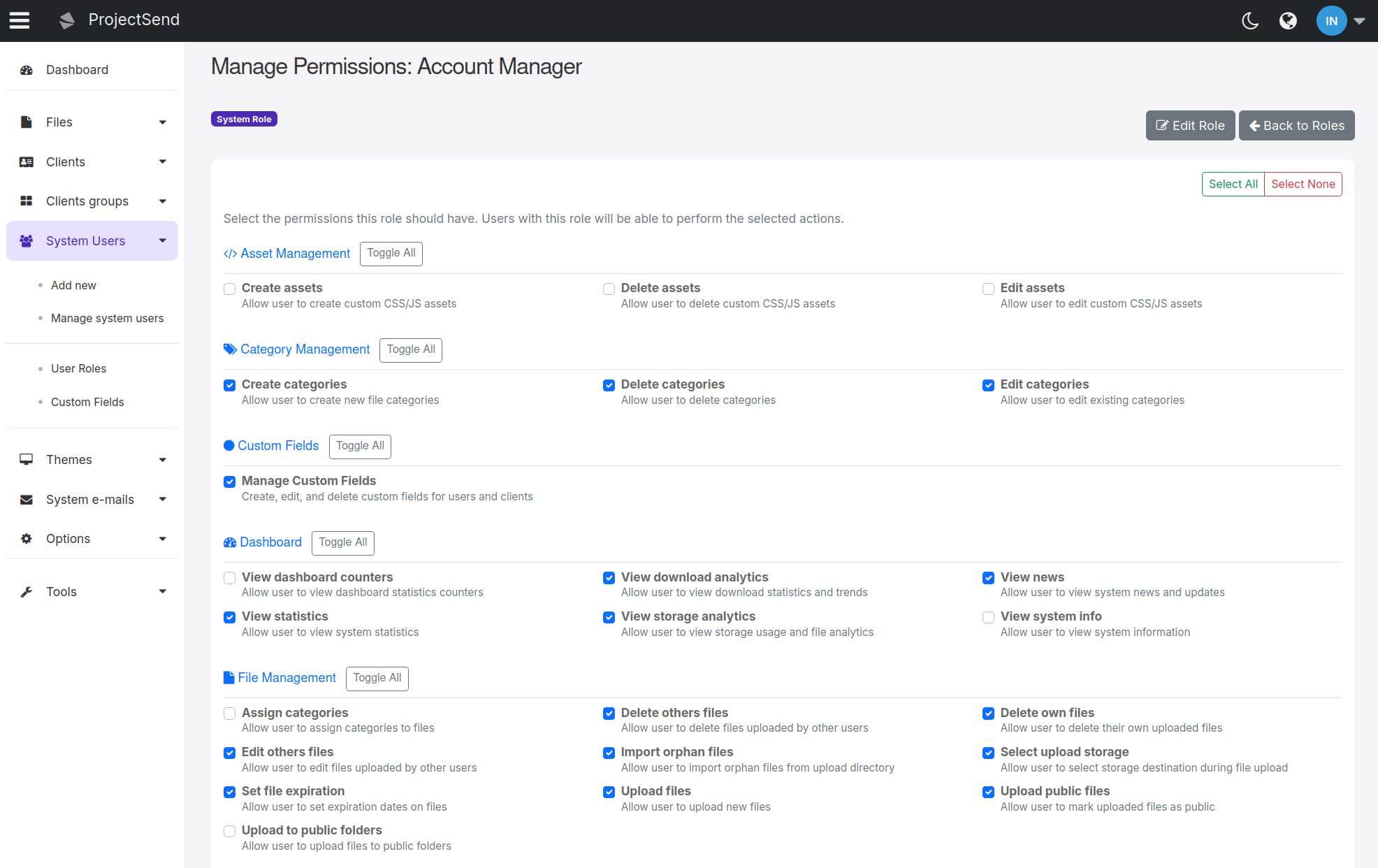
Advanced Permissions & Role Management
Complete overhaul of the permissions system with granular control and custom role creation. Create new roles from scratch or customize existing ones with precise permission settings for ultimate flexibility in user access management.
- Custom Role Creation — Create entirely new roles tailored to your organization's needs
- Granular Permission Control — Fine-tune each permission individually for precise access control
- Role Customization — Modify existing roles to better fit your workflow requirements
- Enhanced Security — Improved security architecture with consistent permission checking
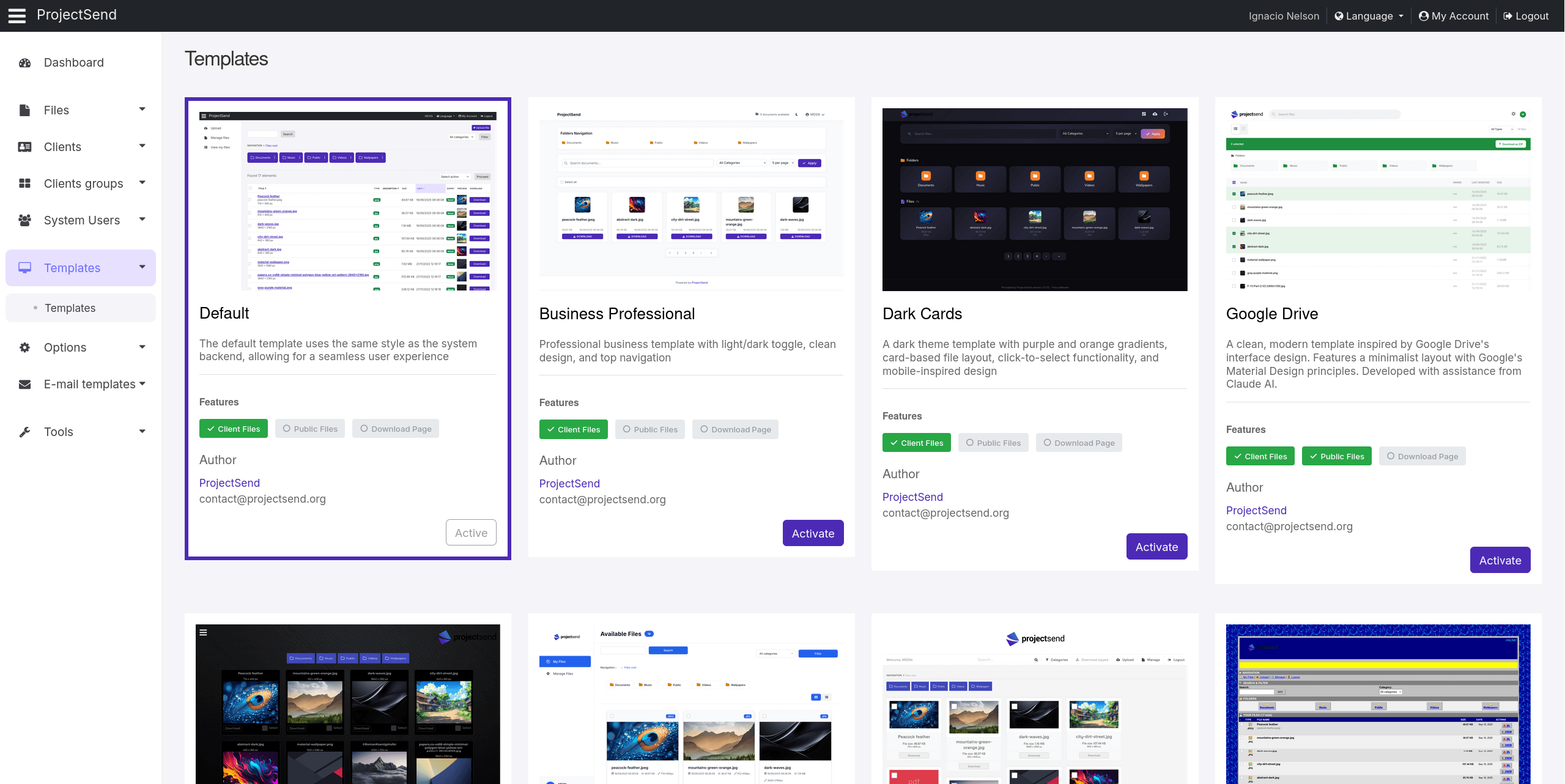
Expanded Theme Gallery
From 3 to 9 beautiful themes! The new theme system supports customizable settings and can be applied to both admin areas and public file lists/download pages for a completely branded experience.
- 9 Professional Themes — Tripled the theme selection with modern, responsive designs
- Public Page Theming — Apply themes to public file lists and download pages
- Theme-Specific Settings — New system supports custom theme options (available in select themes)
- Consistent Branding — Unified visual experience across all client-facing pages
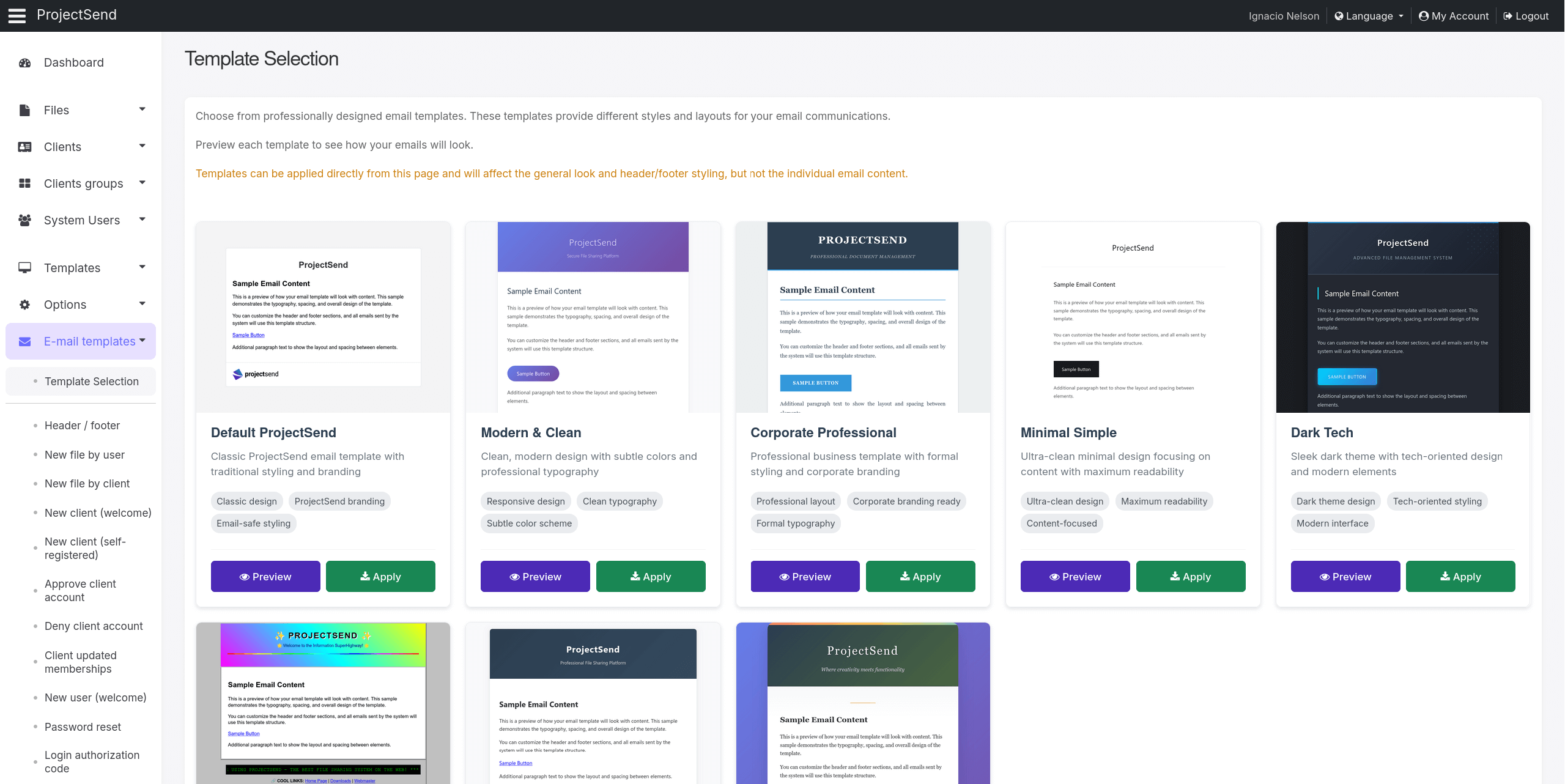
Email Templates & Themes
Revolutionary email template system with visual editor and multiple professional themes. Create stunning, branded emails that match your organization's identity with an intuitive interface and powerful customization options.
- Visual Email Editor — WYSIWYG editor for easy email template customization
- Multiple Email Themes — Choose from professional email designs that match your brand
- Dynamic Variables — Smart placeholders for personalized email content
- Template Management — Organize and manage all email templates from one interface
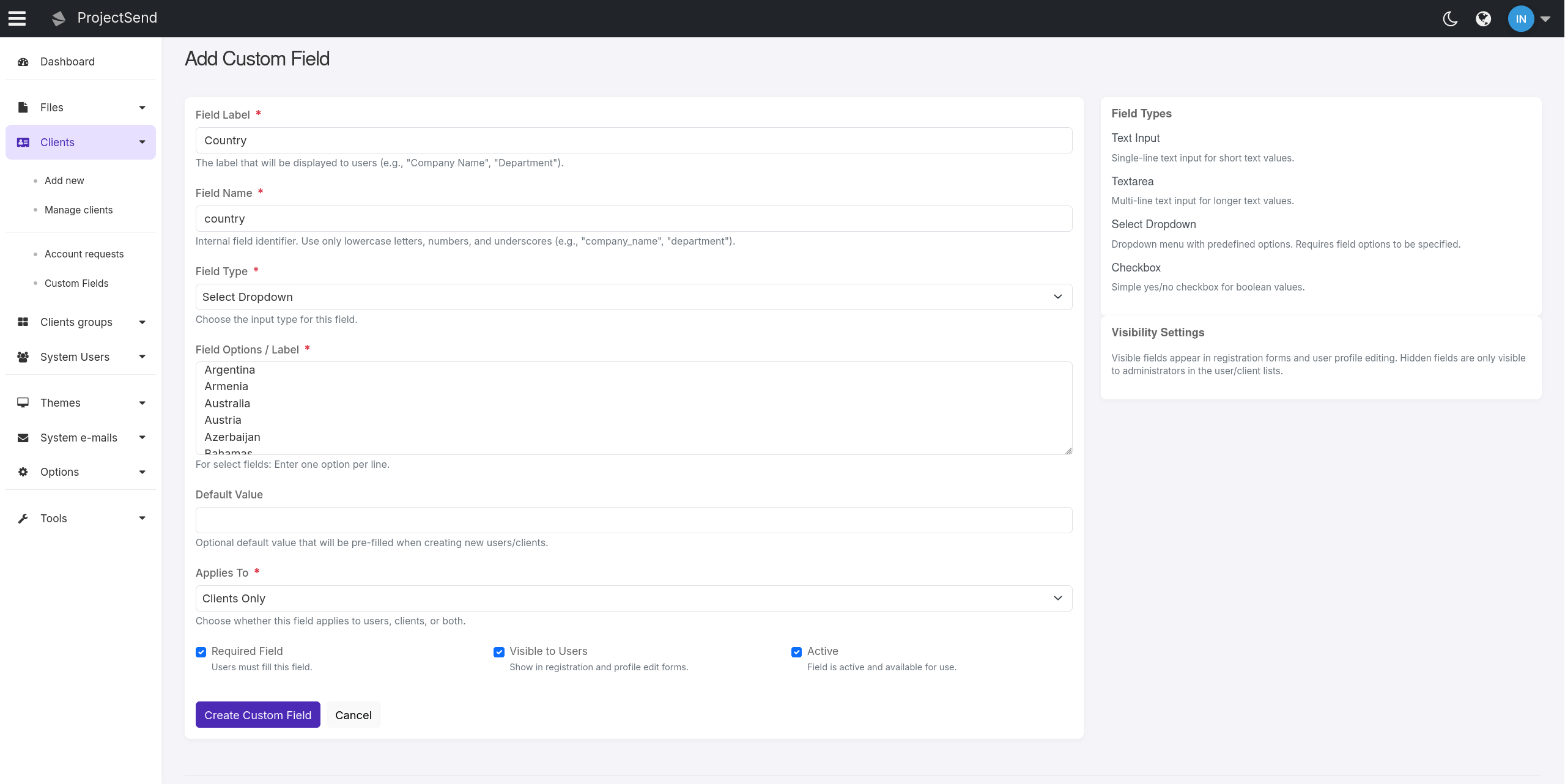
Custom Fields System
Comprehensive custom field management for enhanced data collection. Super administrators can now create and manage additional fields for both clients and users, enabling organizations to collect and store custom information beyond standard profile data.
- Multiple Field Types — Support for text fields, textareas, select dropdowns, and checkboxes
- Flexible Application — Fields can be applied to users, clients, or both
- Visibility Controls — Configure whether fields are visible to clients or admin-only
- Smart Ordering — Drag-and-drop field ordering for optimal form layout
External Storage Integrations
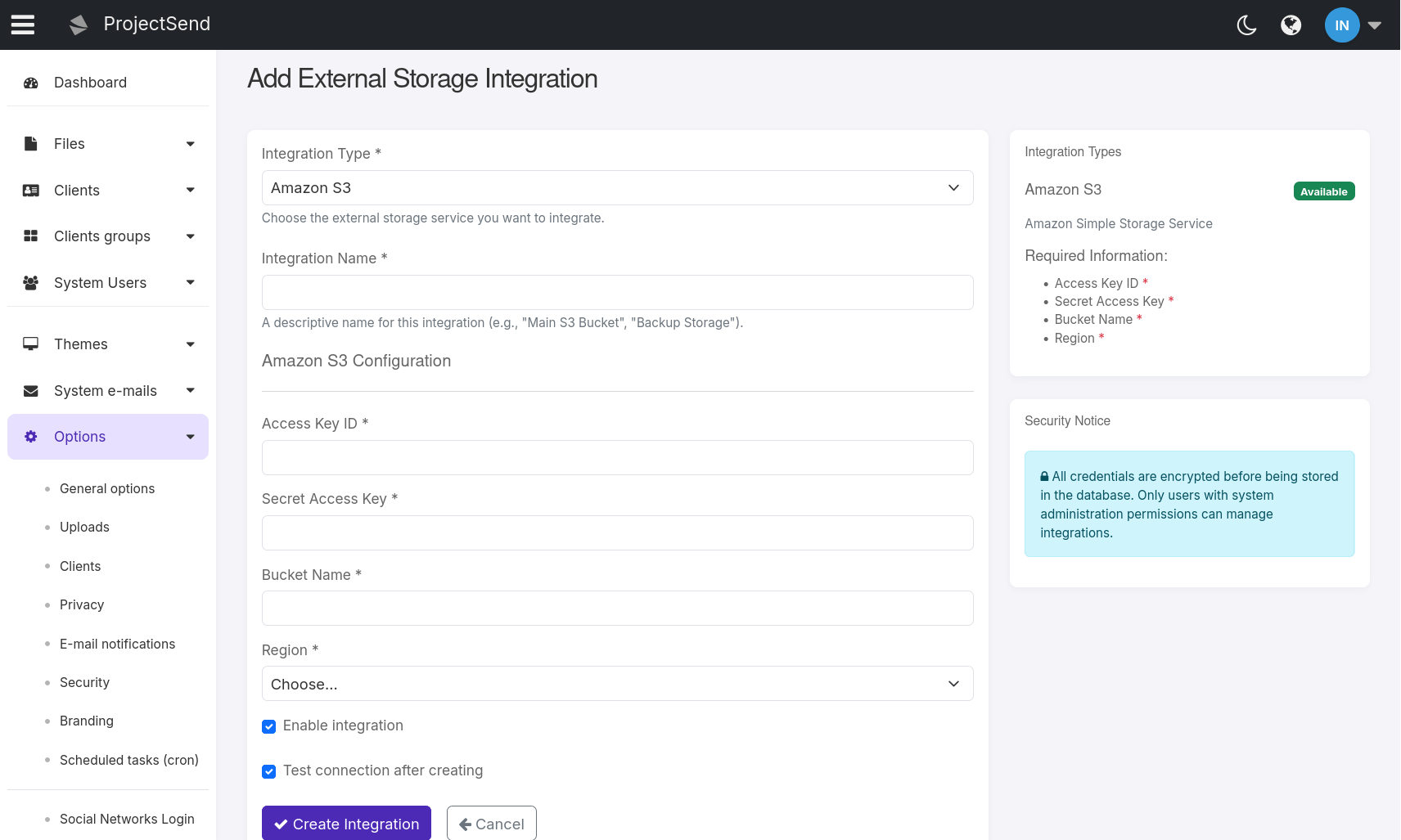
Seamless integration with cloud storage providers for scalable file management. Connect to AWS S3 buckets and choose between local or external storage for uploads, plus import existing external files into your ProjectSend database.
- AWS S3 Integration — Connect directly to your Amazon S3 buckets for cloud storage
- Flexible Upload Destinations — Choose between local server storage or external cloud storage per upload
- External File Import — Import existing files from external storage into ProjectSend database
- Hybrid Storage Management — Files remain in external storage while being managed through ProjectSend
Download Limits
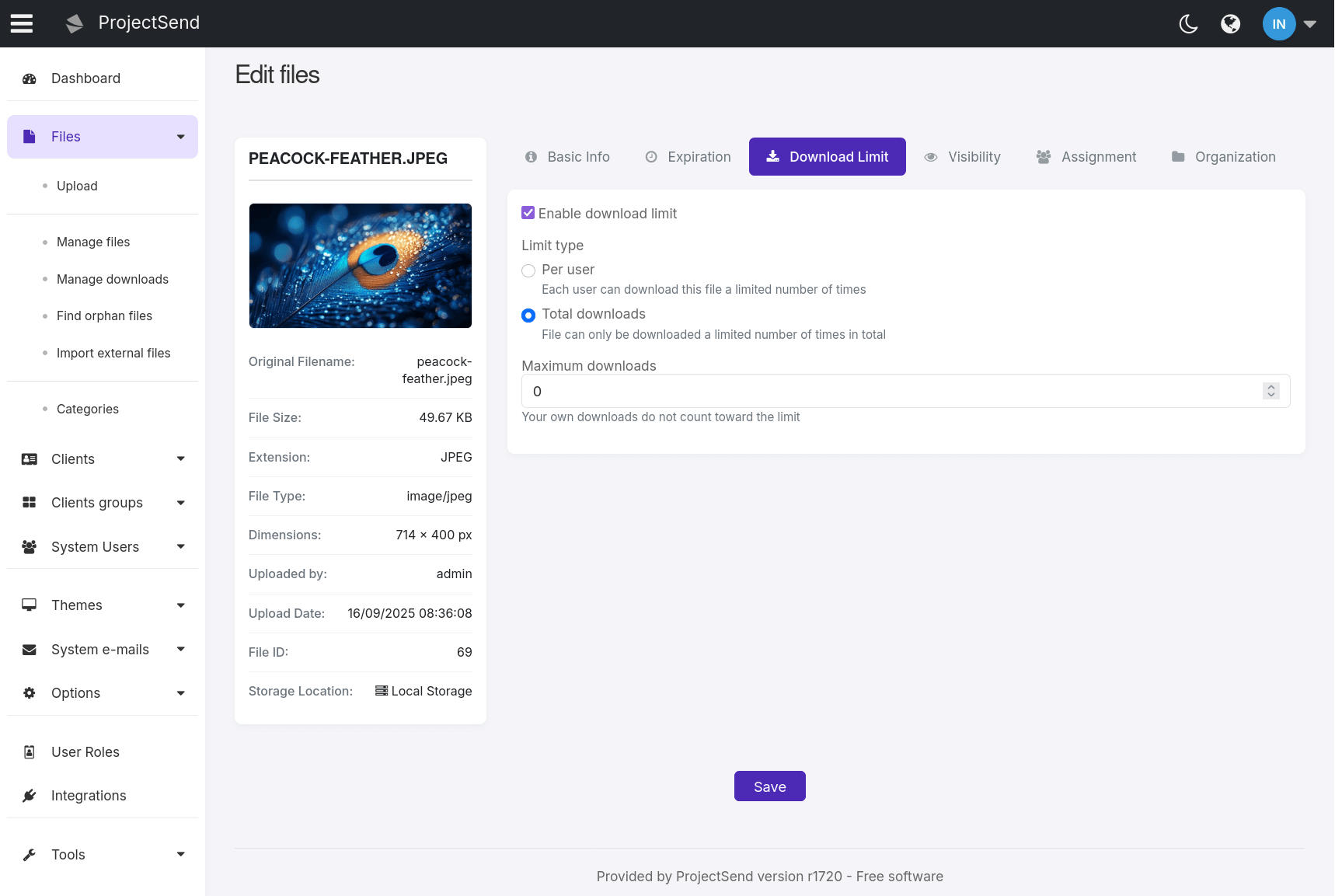
Control file distribution with configurable download limits per file. Set per-user limits or total download caps to prevent excessive distribution, with automatic enforcement and IP-based abuse prevention for anonymous downloads.
- Flexible Limit Types — Choose between per-user limits or total download caps per file
- Automatic Enforcement — Limits enforced before download starts with clear error messages
- Abuse Prevention — IP-based tracking prevents malicious users from bypassing limits
- Uploader Exemption — File uploaders can always download their own files without limit
Enhanced LDAP/Active Directory Integration
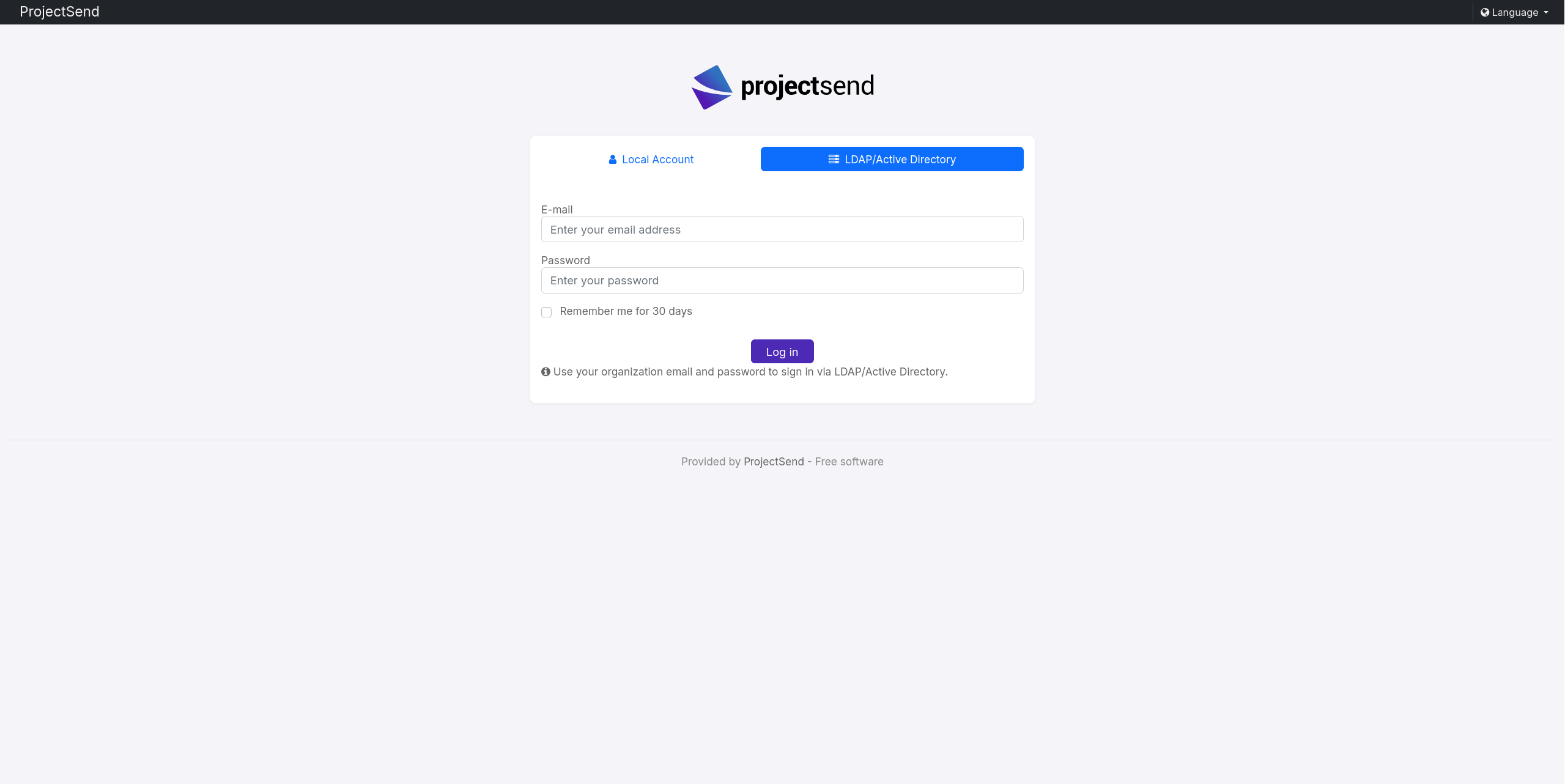
Streamlined enterprise authentication with dynamic role management. The LDAP authentication system has been significantly improved to provide better integration with enterprise directory services and more flexible user management.
- Dynamic Role Selection — LDAP default roles pulled directly from the database
- Smart Fallbacks — Automatic fallback to Client role when custom roles unavailable
- Improved User Creation — Enhanced local account creation process for LDAP users
- Better Configuration — More intuitive setup with dynamic role loading
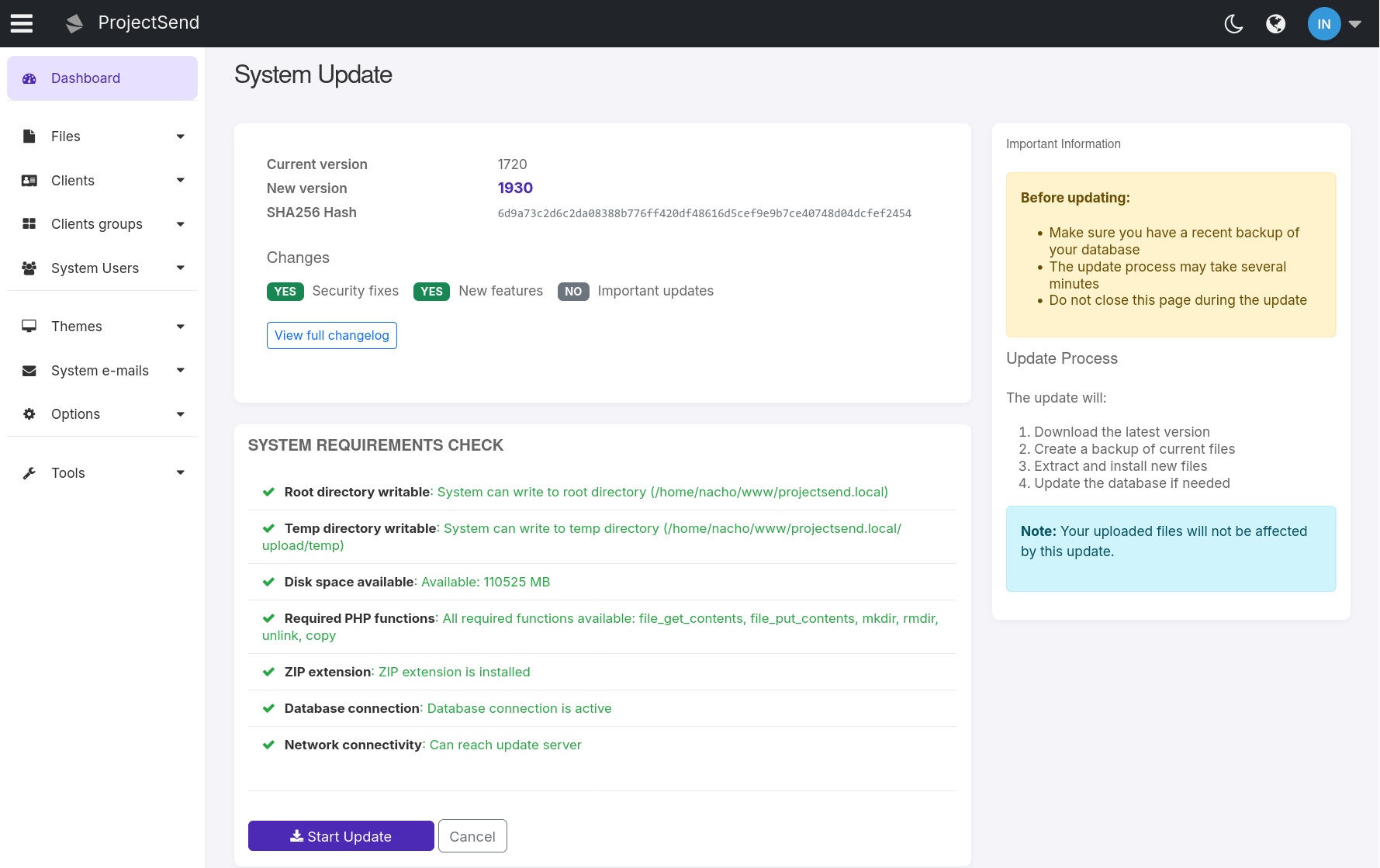
System Auto Update
Streamlined update process with automatic system updates that keep your ProjectSend installation current with the latest features, security patches, and improvements without manual intervention.
- Automatic Updates — System automatically checks and applies updates when available
- Database Migration — Seamless database schema updates with automatic migration handling
- Security Patches — Immediate deployment of critical security updates
- Zero Downtime — Updates apply with minimal service interruption
- Update Channel Selection — Choose between stable or beta update channels in
sys.config.phpusingdefine('UPDATE_CHANNEL', 'stable');ordefine('UPDATE_CHANNEL', 'beta');
Disk Quota Management
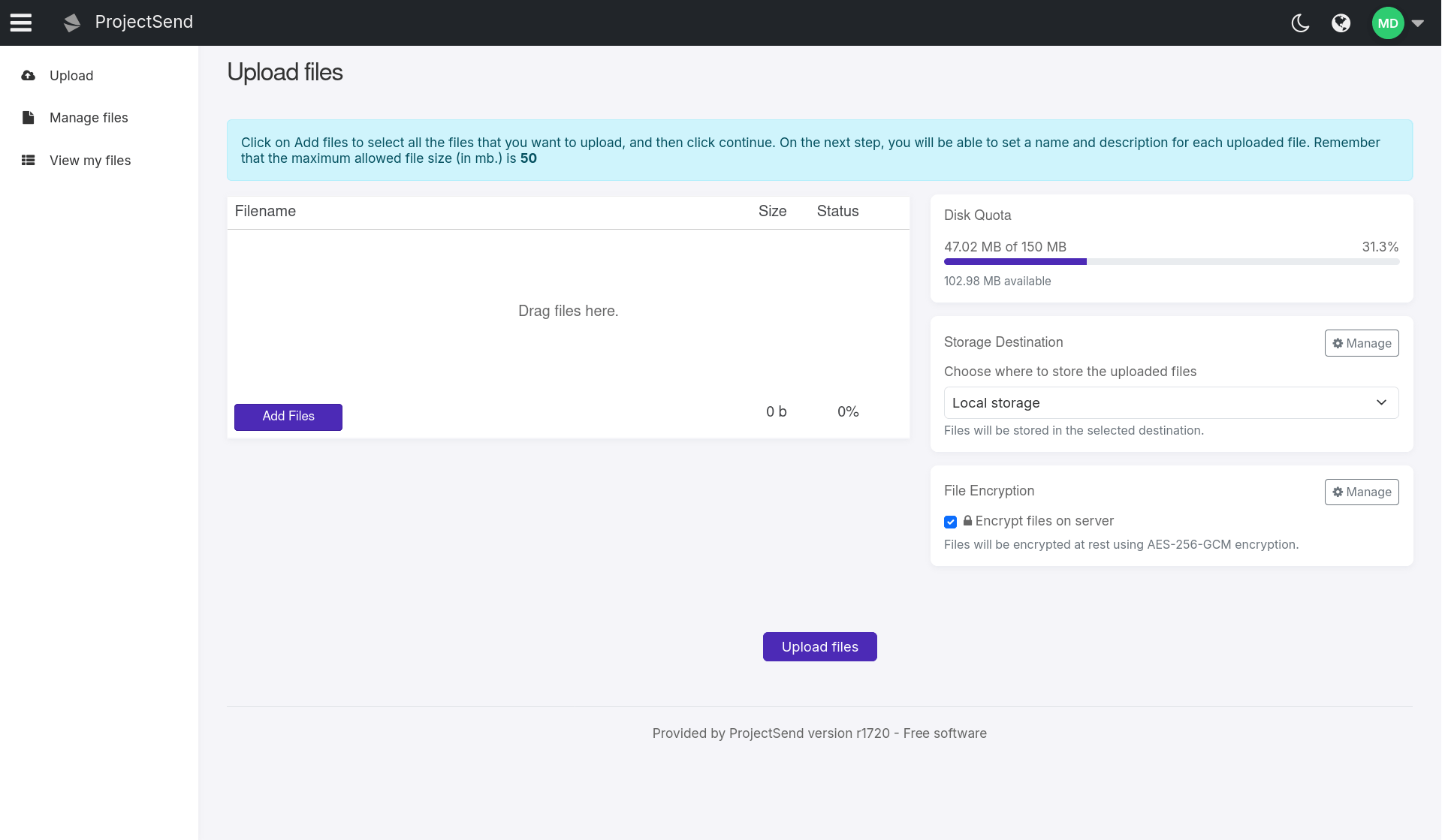
Comprehensive storage management with per-account quota limits. Administrators can set individual storage limits for users and clients, preventing any single account from consuming excessive server storage space while providing real-time usage tracking and enforcement.
- Per-Account Quotas — Set individual storage limits for each user and client account
- Real-Time Usage Tracking — Visual progress bars and live quota information during file uploads
- Automatic Enforcement — Frontend and backend validation prevents quota overruns before upload starts
- Default Quota Settings — Configure default storage limits for new client accounts
Redesigned File Editor
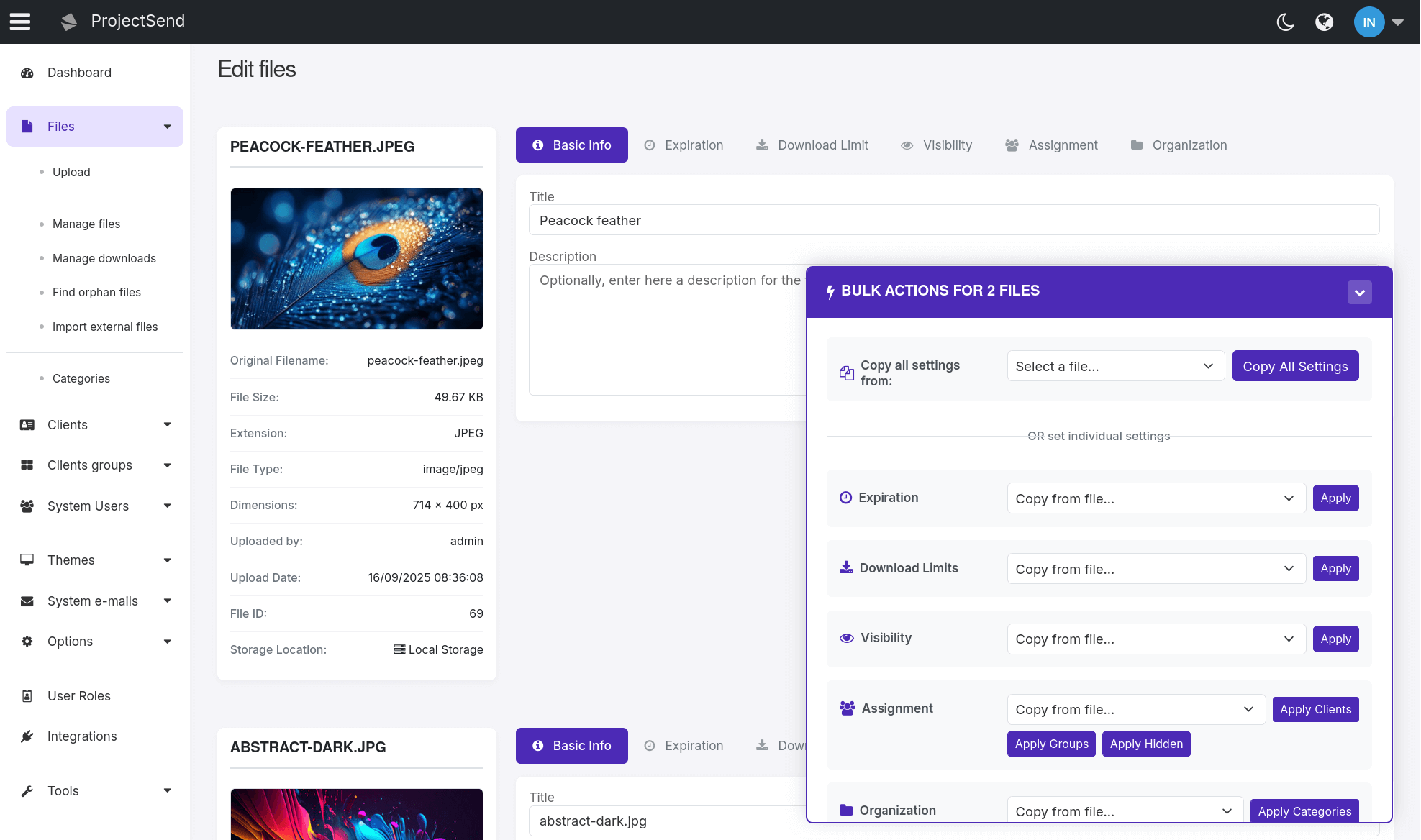
Complete redesign of the file editor with modern tabbed interface, bulk operations, and comprehensive file information display. The new editor provides a streamlined workflow for editing single or multiple files with powerful bulk actions and mobile-optimized views.
- Tabbed Interface — Organized content into logical tabs: Basic Info, Expiration, Download Limit, Visibility, Assignment, and Organization
- File Information Panel — Dedicated sidebar displaying file metadata, preview thumbnails, dimensions, file type, and upload details
- Sticky Bulk Actions Panel — Centralized panel for multi-file editing with options to copy settings from any file to all others, eliminating repetitive sections
- Mobile-Optimized Layout — Responsive design with stacked sections on mobile devices for optimal editing experience on any screen size
Regenerate Thumbnails
Powerful thumbnail regeneration tool with advanced filtering and customization options. Generate thumbnails for selected image types with custom dimensions and filter by date ranges for precise control over your image processing needs.
- Selective Image Types — Choose specific image formats (JPG, PNG, GIF) for thumbnail generation
- Custom Dimensions — Set specific width and height parameters for generated thumbnails
- Date Range Filtering — Filter files by upload date to process only specific time periods
- Batch Processing — Process multiple images efficiently with progress tracking

Enhanced User Interface
Modern interaction patterns and improved user experience. Multiple interface improvements provide a more polished and professional experience throughout the application.
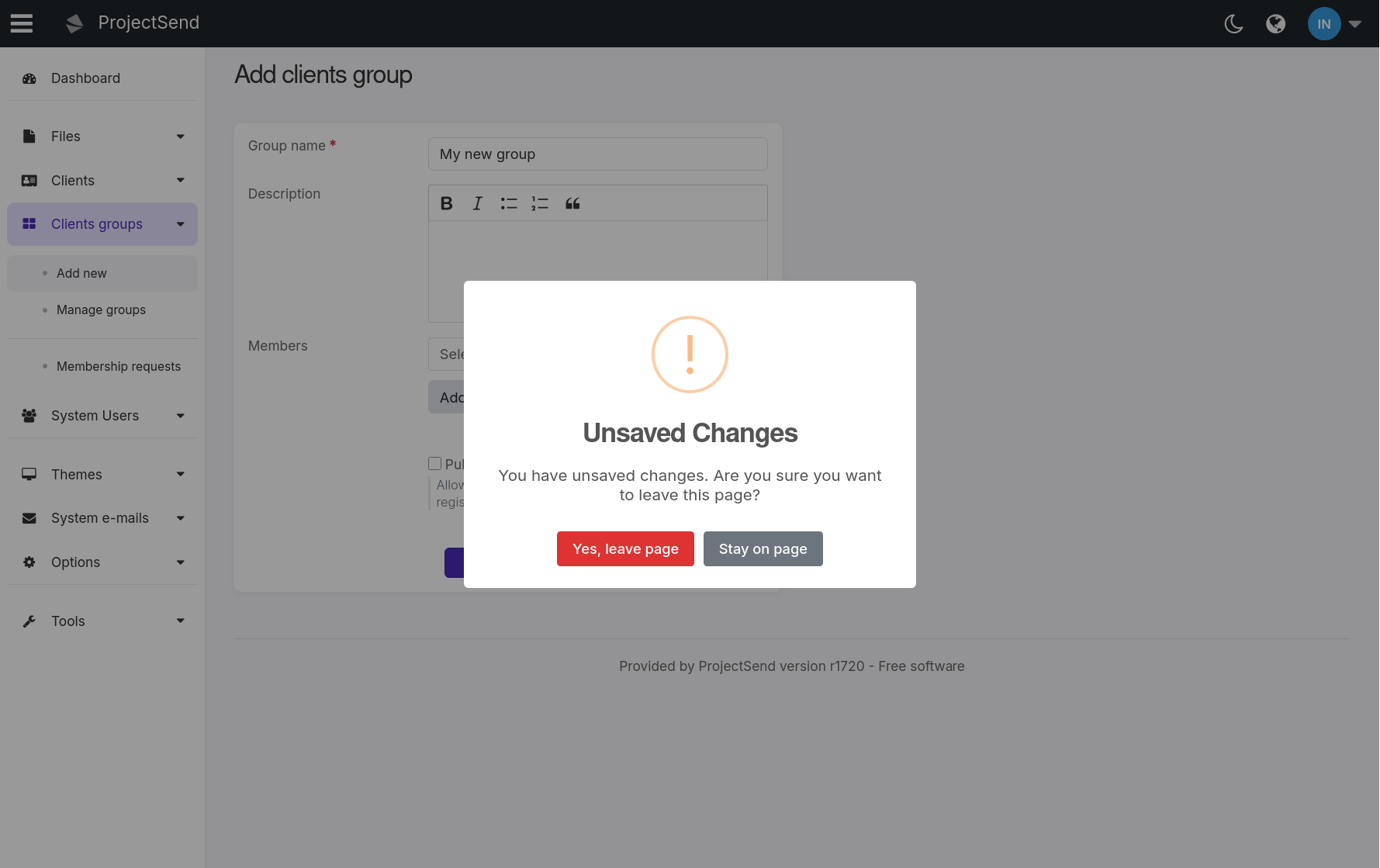
- Unsaved Changes Warning — Automatic detection when leaving forms with unsaved data
- Data Preservation — Form data preserved when validation fails
- Required Field Indicators — Clear visual indicators for mandatory fields
Misc Improvements
Additional improvements and refinements that enhance the overall ProjectSend experience with better security, stability, and customization options.
- Security Fixes — Multiple security vulnerabilities addressed and patched
- Stability Improvements — Enhanced system reliability and reduced error occurrences
- Favicon Customization — Upload custom favicon files in Options → Branding section
- Remember Me Option — New Remember me checkbox on the login form for persistent sessions
- Multiple CAPTCHA Methods — Choose from reCAPTCHA v2, reCAPTCHA v3, or Cloudflare Turnstile for bot protection